

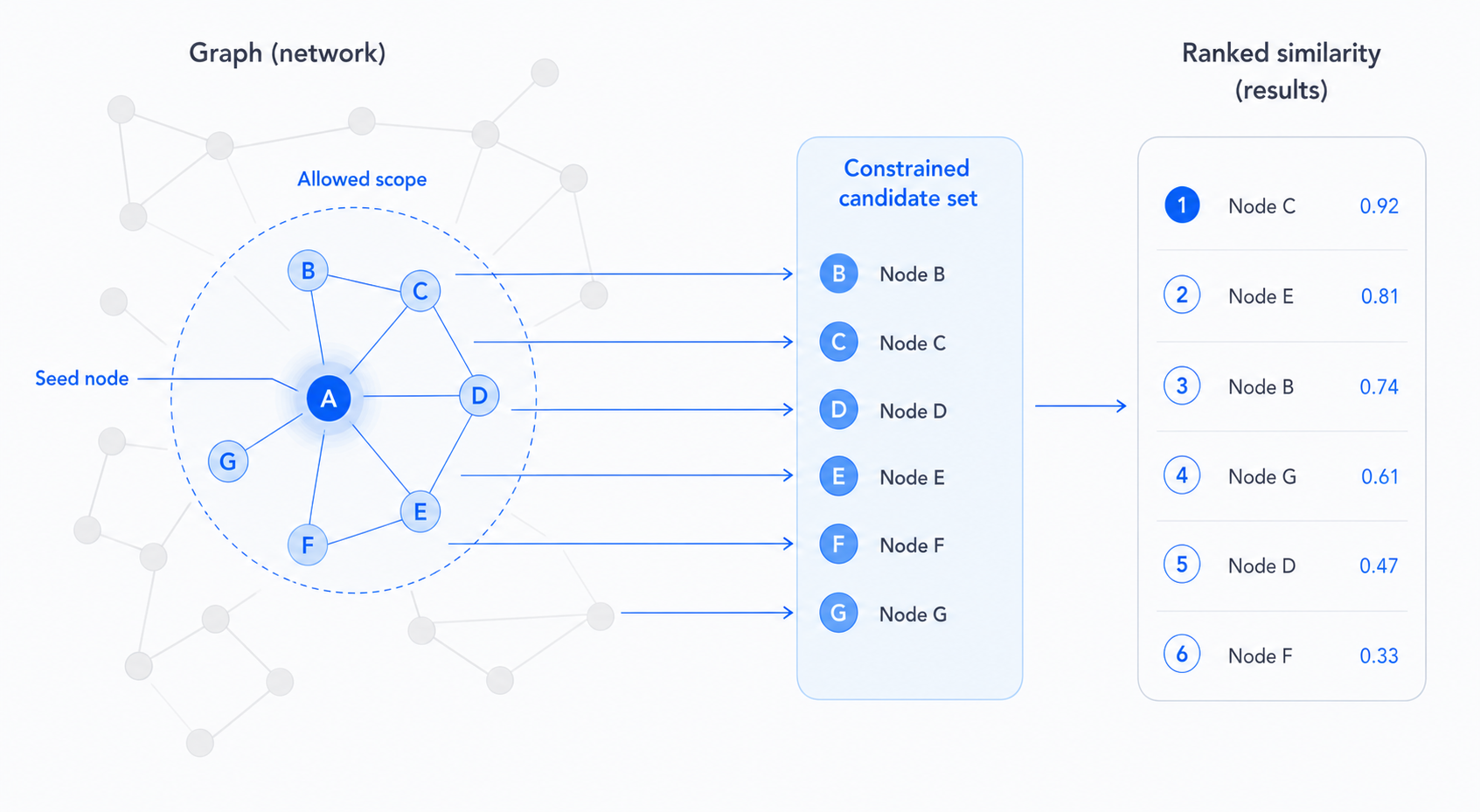
Using the graph as a filter
Embedding similarity alone returns the most similar items across the entire corpus. The graph lets you constrain that search to a meaningful neighbourhood.
Pattern: search within a product's ticket history
// Get all tickets for a specific product
var scope = Q().StartAt("Product", "MBA-2024")
               .In("ForProduct")
               .AsUIDEnumerable()
               .ToArray();

// Find tickets similar to this one, but only within that product's scope
var similar = await Q()
    .StartAt(seedTicketUID)
    .ToSimilarity()
    .AddSignal("embedding", s => s.StartAtSimilarTextAsync(bodyText, 20, ["Ticket"]))
    .AddRule("product-filter", r => r.Filter(uid => scope.Contains(uid)))
    .ExecuteAsync(ct);
Why this matters:
Without the filter, "similar tickets" might return results from unrelated products. The graph constraint scopes similarity to what's actually relevant — without needing a separate index per product.
This pattern composes naturally with permissions: scope can also be constrained to UIDs the current user can see.