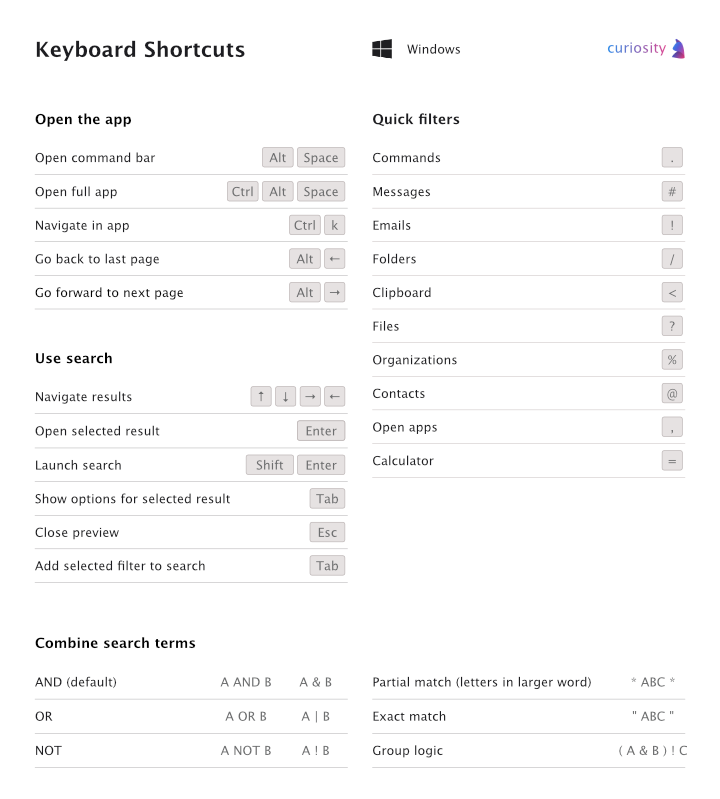

Keyboard Shortcuts
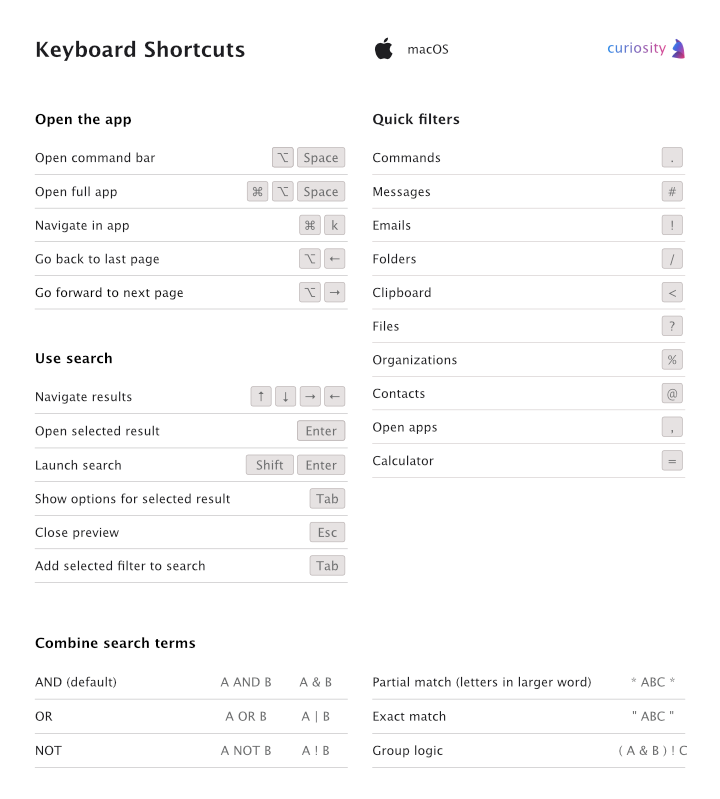
In Curiosity you can navigate using the mouse or keyboard shortcuts. That lets you get around quickly and without taking your hands off the keyboard.
On this page you can find an overview of the most important keyboard shortcuts for macOS and Windows.
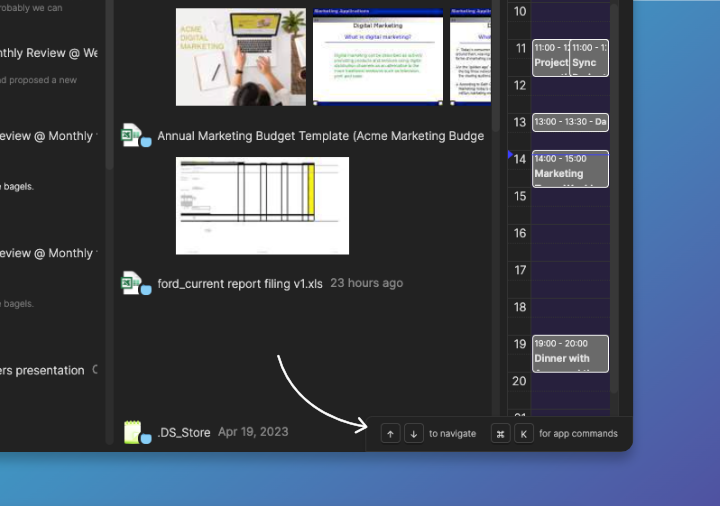
In addition, you can always see available shortcuts in the lower right-corner of the app, as shown here:
Keyboard shortcuts for MacOS
Keyboard shortcuts for Windows